Quickstart
This page will go through quickly showing you how to use the plugin to get the turns starting and ending. Building on that after it is completely up to your project's specific needs. Whether it's a card game, a turn-based RPG or a jRPG. The scope of Chronis is to be the core of the turn-management and broadcast events for the same.
The entire system is event based to let you control what happens after a turn ends and before the next one starts. It was done to faciliate things like playing animations, VFX and SFX, etc.
Follow these basic steps
INFO
The example being built through these steps teaches you about WaitForMyTurn, StartTurnEncounter, EndMyTurn, StartNextTurn. These are basically all you need to have the core turn management.
Implementing the interface.
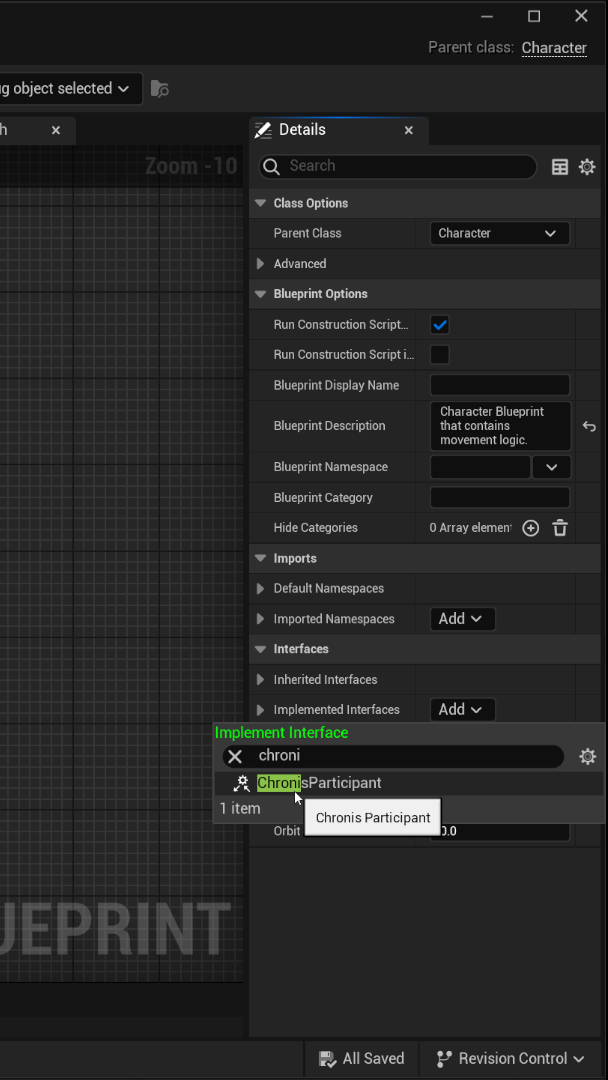
The turn system needs to know things like, whether a participant is valid or not? What their initiative value is like, etc. To make this possible in a very generalized plug and play manner, Chronis comes with an interface. Click the class settings at the top and then in the right-hand side on the details panel, click "Implemented Interfaces" and look for "Chronis" an interface should come up, simply select it and it should be implemented.
Setting up Character validity.
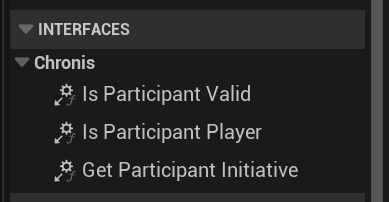
There are in total 3 different functions that need attention after implementing the interface. These can be found in the functions section of the blueprint on the left-hand side.
The following three:
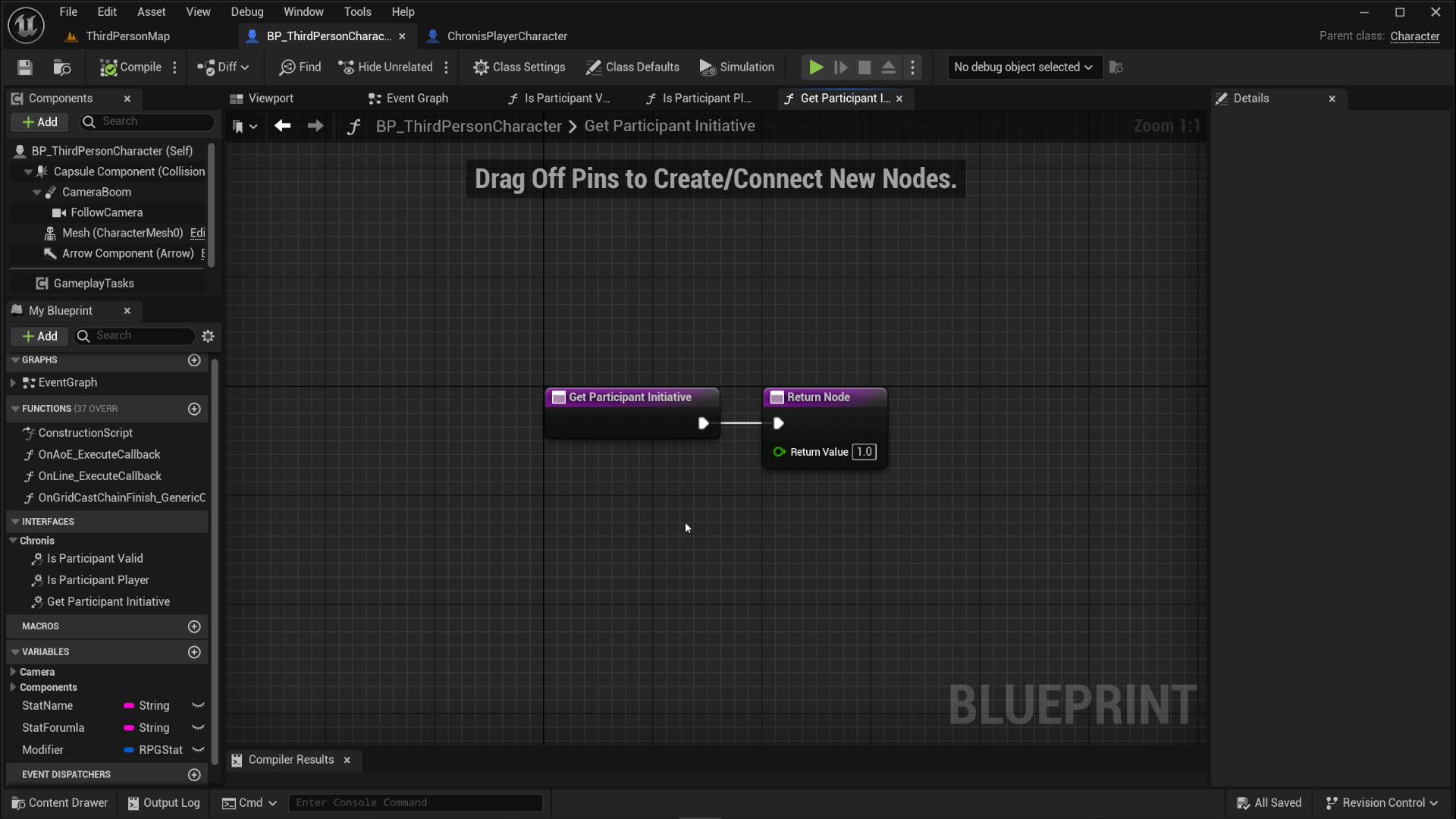
- GetParticipantInitiative() This is used by the plugin to get what this actor's initiative value would be.
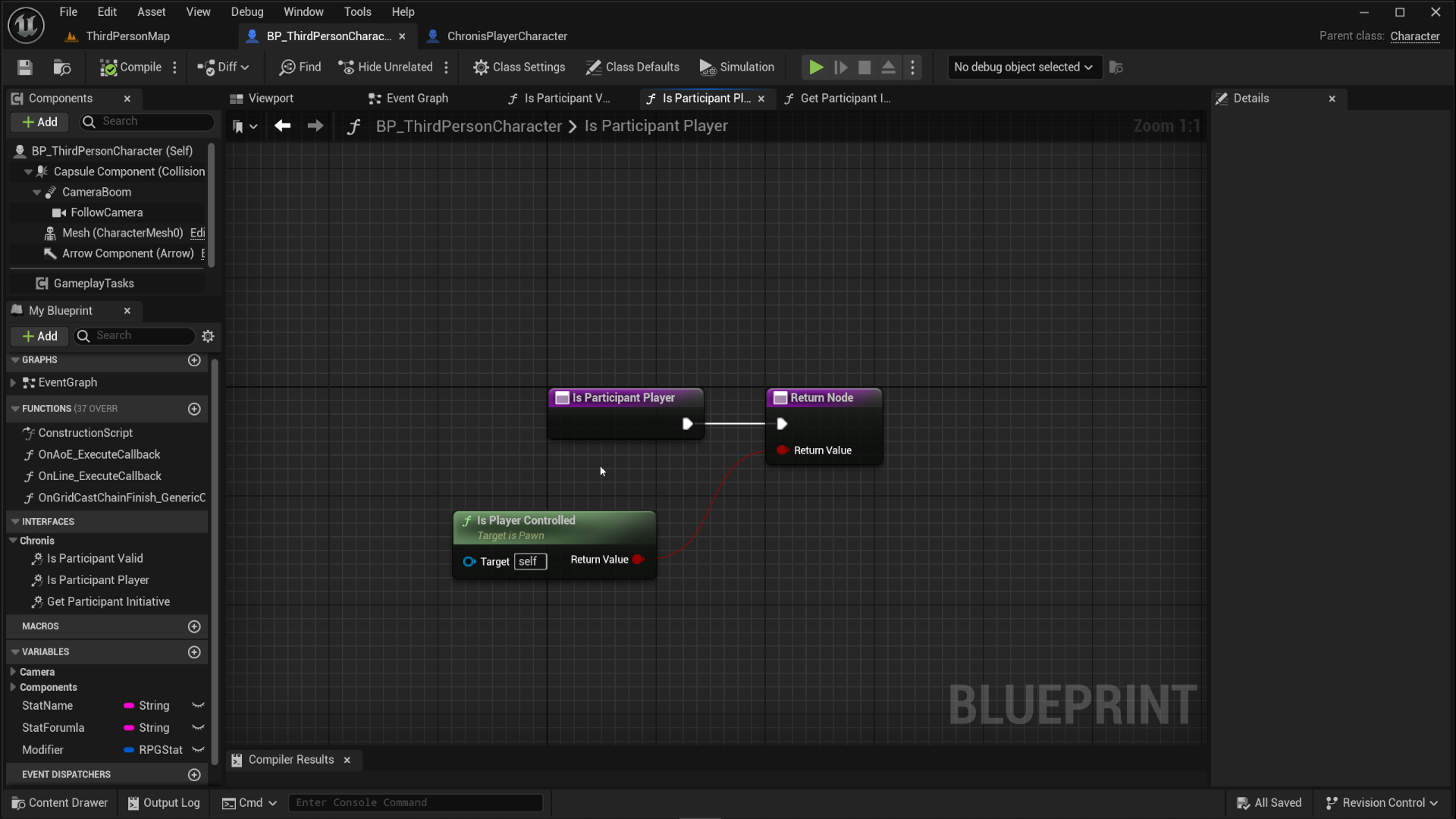
- IsParticipantPlayer() Is this a player or controlled by AI?
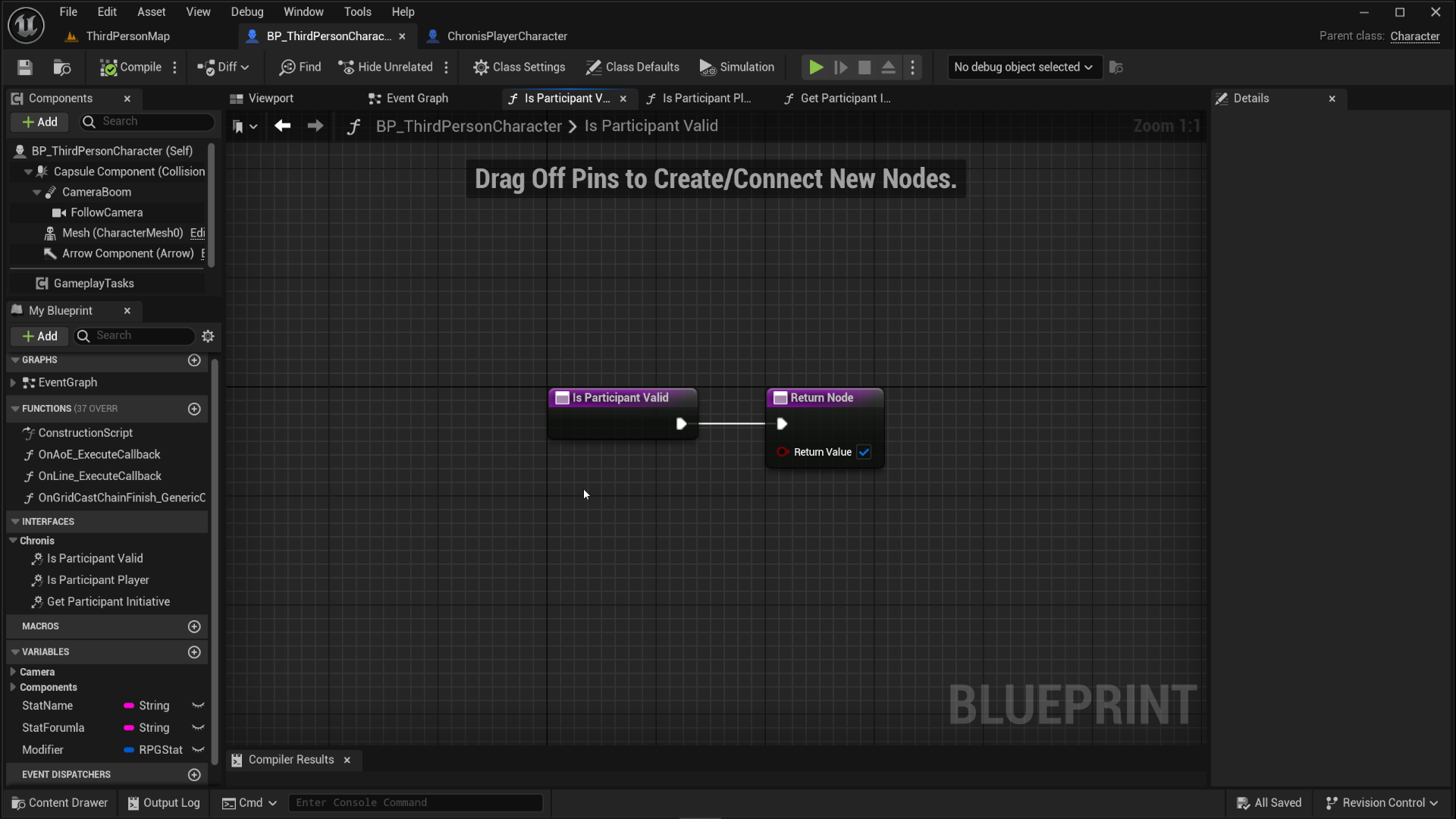
- IsParticipantValid() This is where you would commonly put a health check and similar things, basically,"What makes this actor valid to participate in the turns."
Registering participant and listening for Turns.
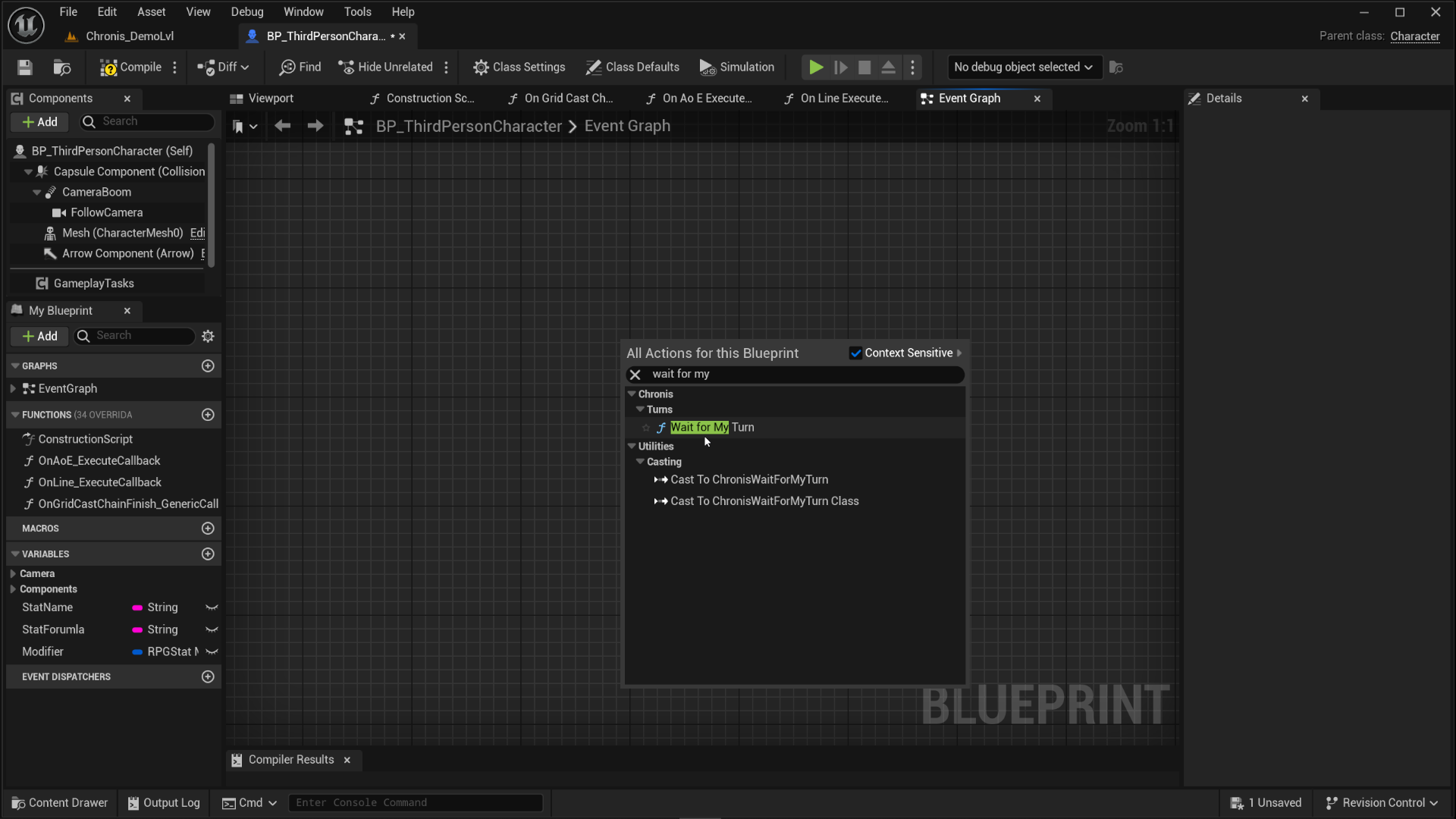
Unless you need a very elaborate or unique setup, most project's should be fine with making use of "Wait for My Turn". It was designed to be put inside the actors where you've implemented the interface. In this case, that's the character blueprint you're working in at the moment. Right click in the graph and look for "Turn", in the list, "Wait for My Turn" should come up. This node does both, registration for this participant and listening for turns.
Starting the encounter.
While Chronis doesn't have a whole encounter system with spawning and other things built into it, it does treat a turn-based gameplay interaction as a single encounter. Check Terminology for details. In short, without starting the encounter, Chronis won't do turn-management. For now, auto-start it after short delay. The next step has a detailed graph and explains more.
Connecting things together.
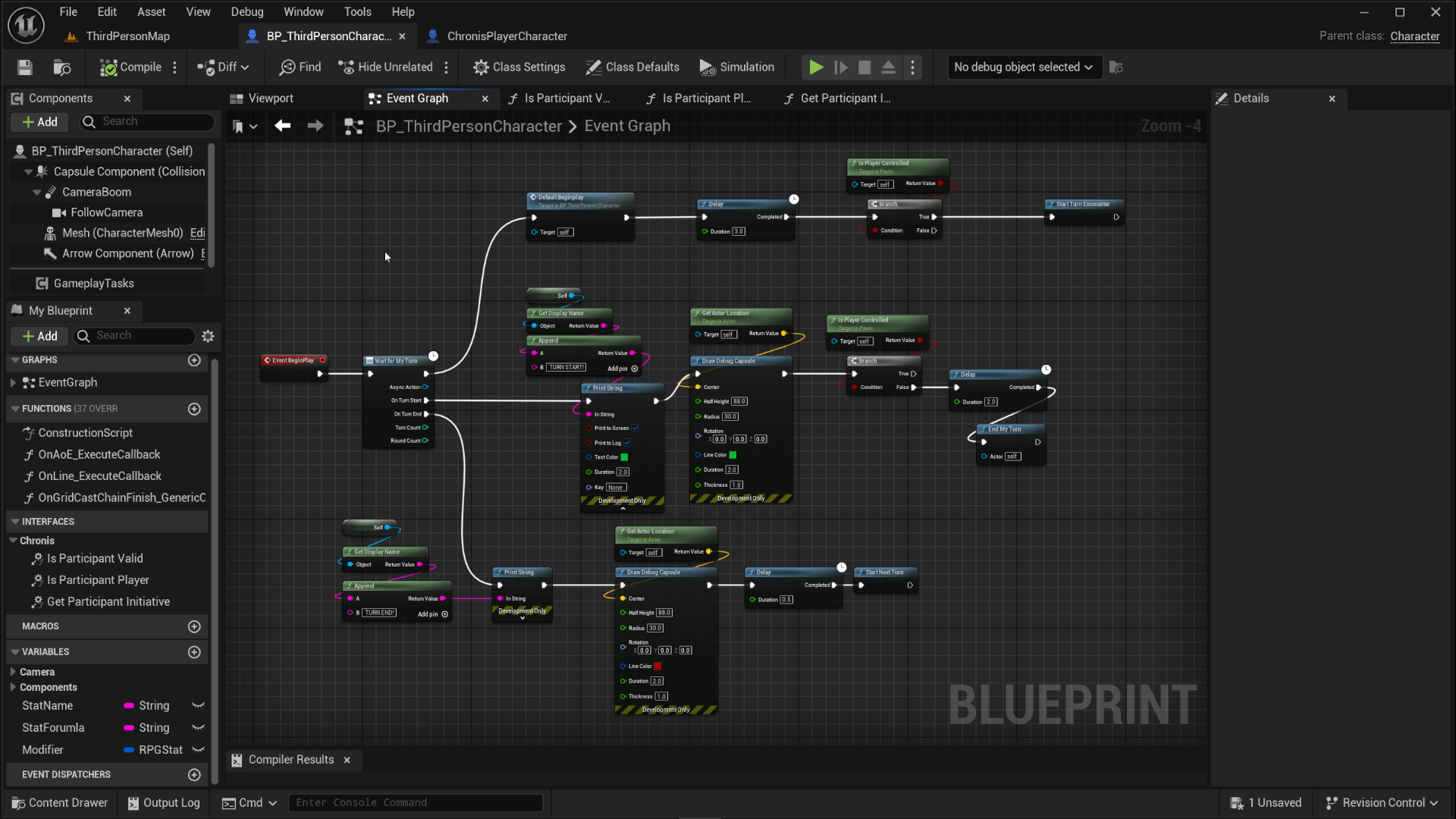
The graph looks a little messy but here's the breakdown. The core of this is WaitForMyTurn. As explain earlier it will do both the registration and listening for turns for this actor.
From the regular execution pin, it connects into a "Default Beginplay" node. This one just does the default third-person template input setup.
Next from there we check if this actor is player controlled if it is, then after a short-delay StartTurnEncounter is called. This will start an encounter in Chronis and turn-management will activate.
From the TurnStart pin, we have as print string with append printing the name of this actor along with TURN START in green color and draws a debug capsule to make it more obvious.
Following that we check again if this is a player controlled actor, if it's not, we wait 2 seconds and call EndMyTurn to end this actor's turn.
Why is it done like this? To simulate AI behavior. All of these delays are meant to be replaced by your actual encounter and AI logic. This setup is just to quickly show you how the plugin works.
Turn End branch follows the same thing, does a print, draws a capsule and waits 0.5 then ends the turn.
Setting up inputs and preaparing the scene.
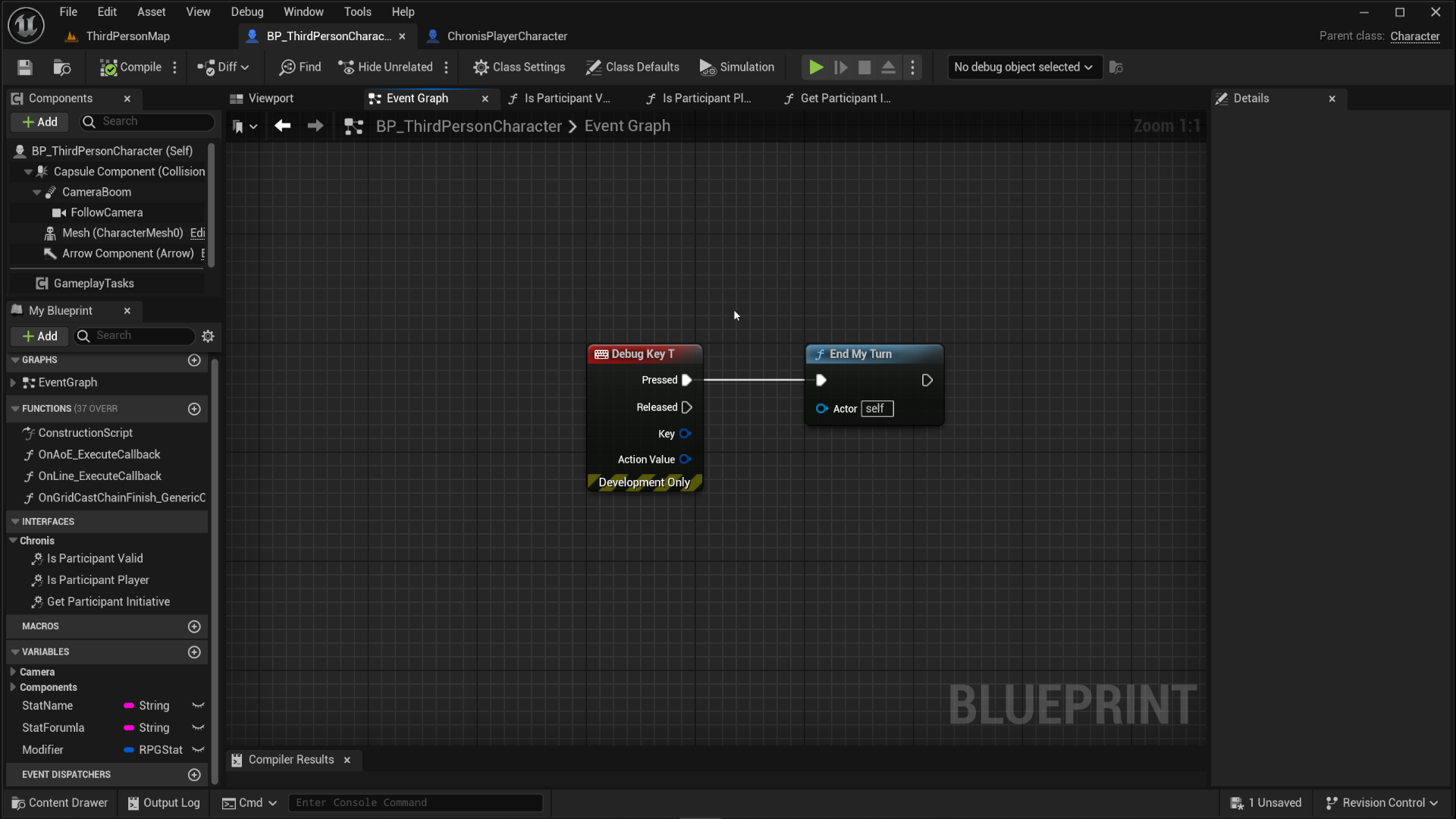
We need an input to end the turn so we can move on the next one. Grab a "Debug Input" and set it up to whatever is comfortable for you. To test the turns being passed properly, we will need two actors in the scene! If you already have another PlayerCharacter in the scene, that's perfect, if you dont, you need to place one in and that's it, ready for testing.
Testing in PIE.
Start the game and wait for the for the Encounter to Start, you should see a <CharacterClassName> TURN STARTED and a debug capsule drawn around the character whose turn it is if you set everything up properly. If you hit the End Turn button then, the turns should cycle between both actors just fine!