Cone Trace
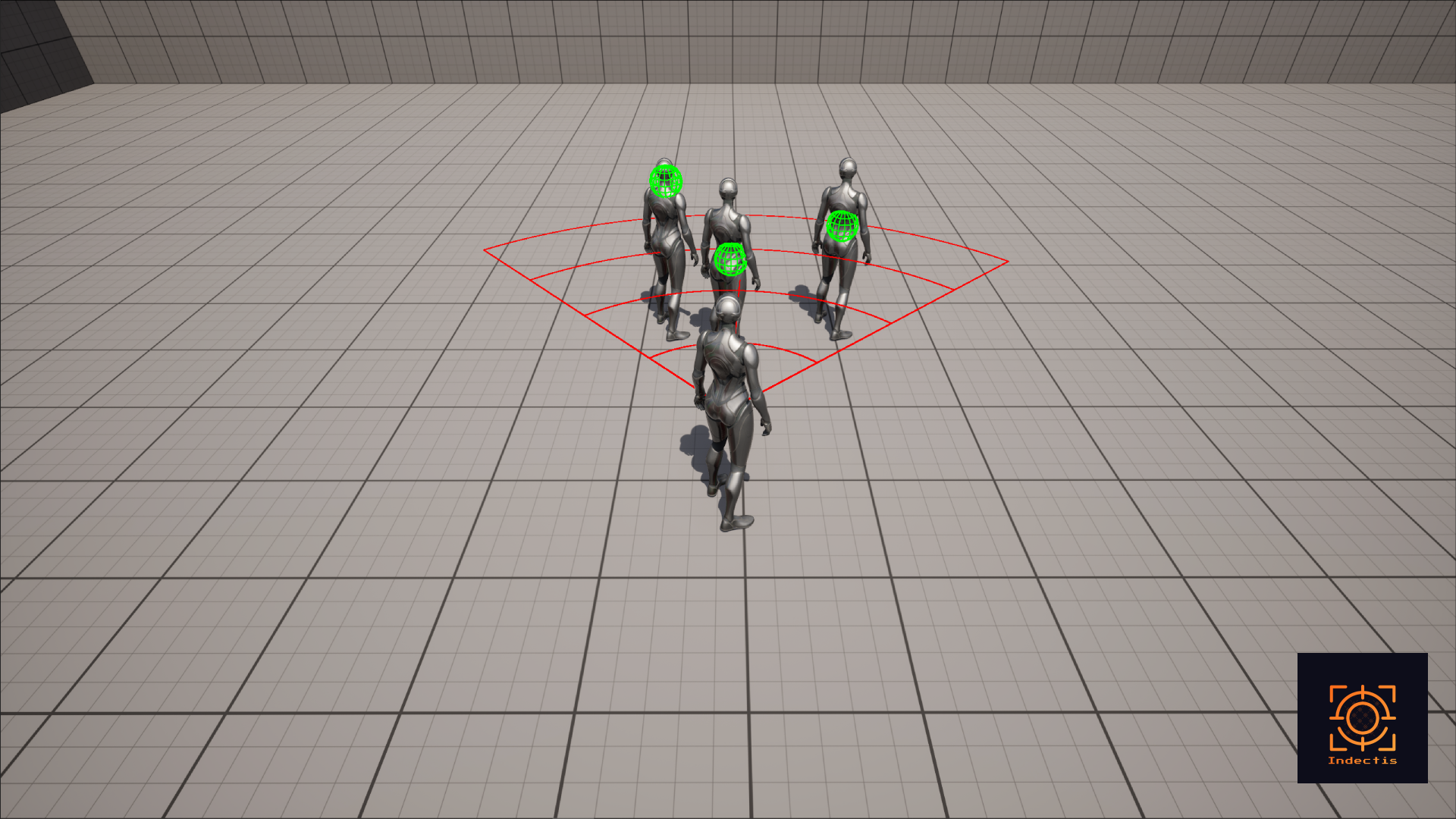
Projects a cone-shaped area from a starting point in a specific direction.
- Features:
- Defined by angle (width of the cone) and range (length of the cone).
- Detects all actors within the cone area.
- Custom debug draw shape for visualization.
Usecase example
An ability that deals damage in front of the player in a 90° cone up to 500 units and knocks back all actors that are hit.
Implementing an Example of Cone Trace
Prequisits
This example assumes that you are using the ThirdPersonTemplate project or understand where your current playable character class is.
Find the function.
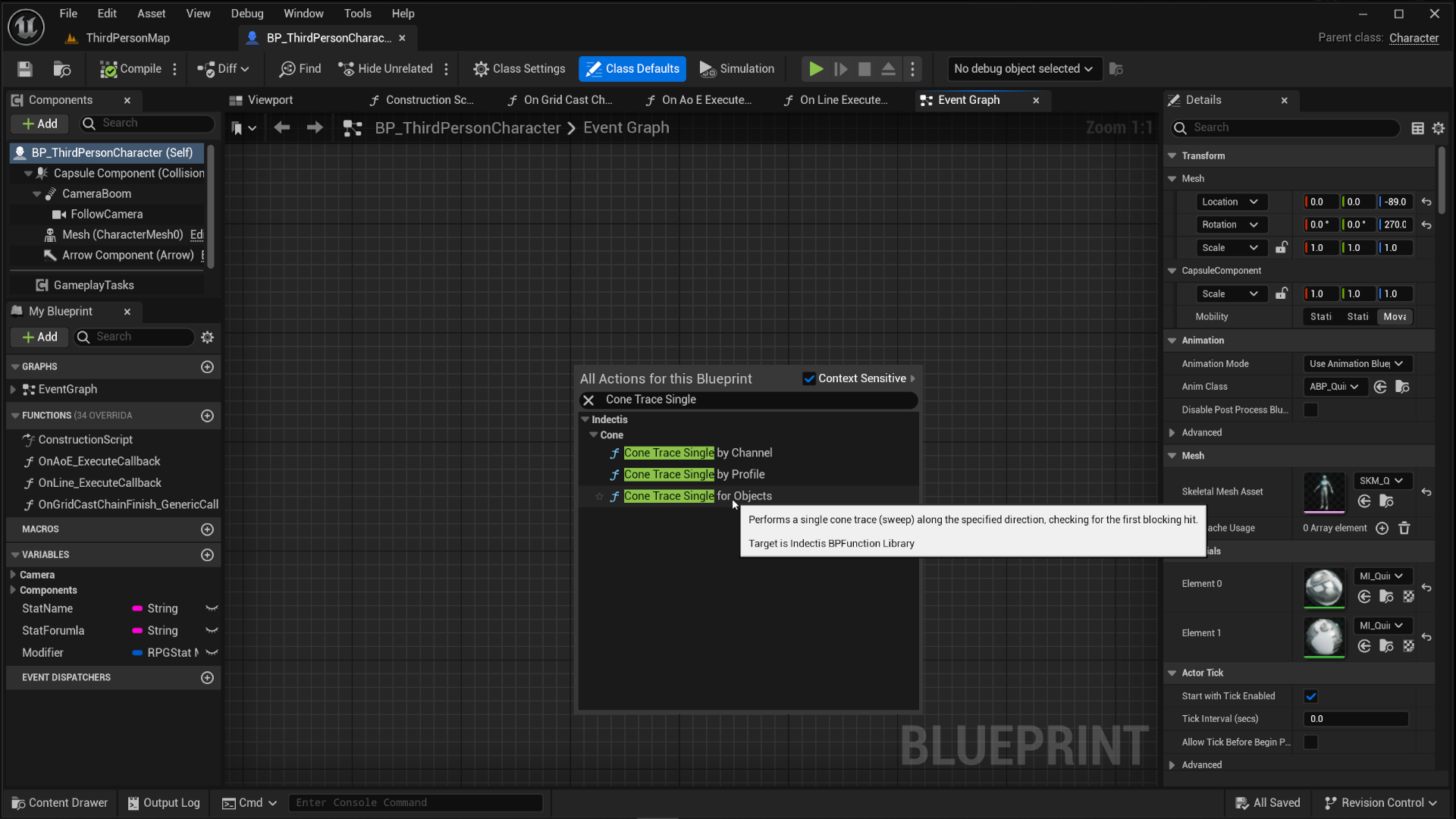
In your playable Character's event graph, right click in some empty space and look for Indectis or Cone Trace Single. You should see a bunch of different options come up as a result, pick Cone Trace Single for Objects.
Configuring the cone trace.
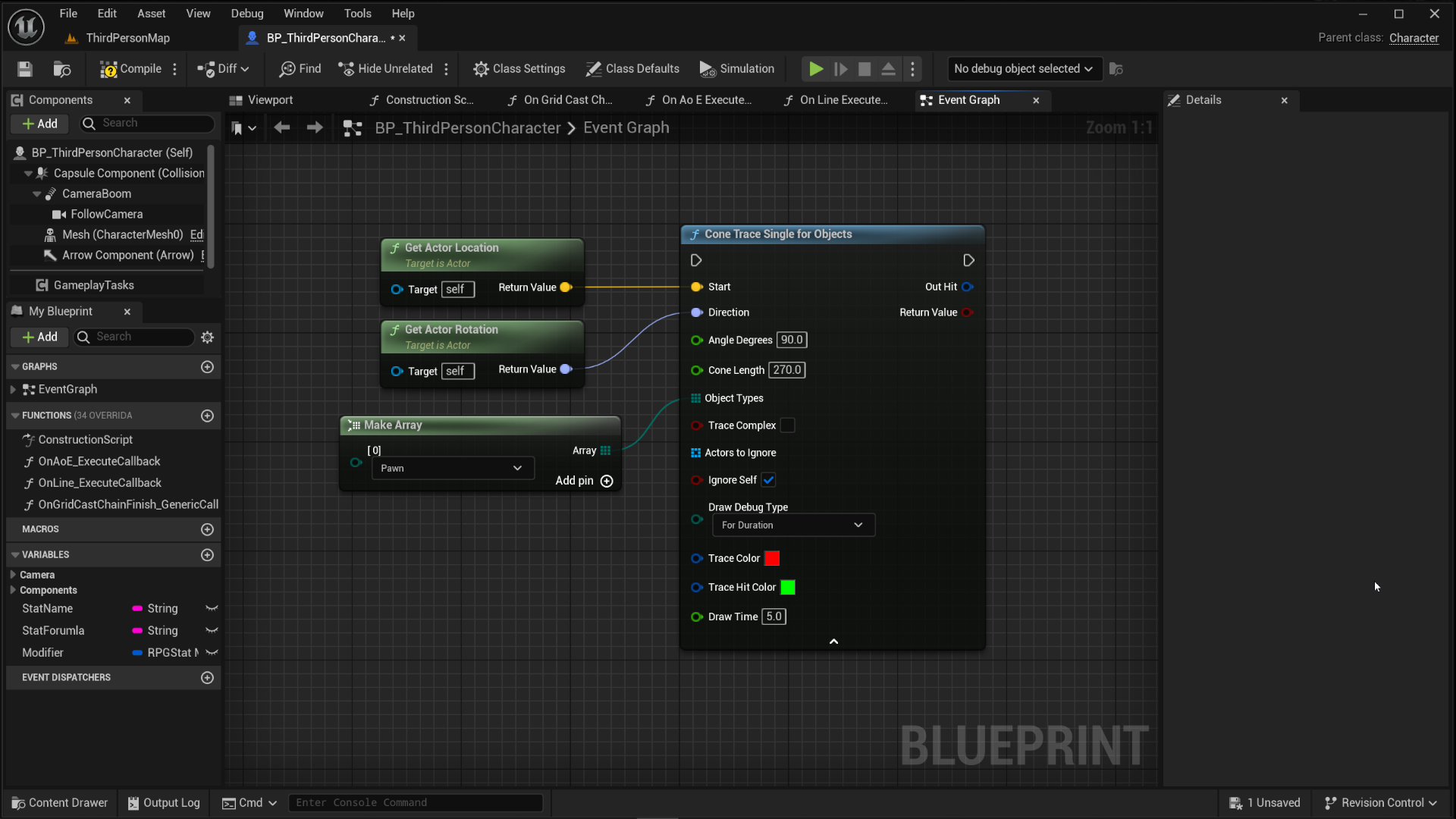
Every parameter on the function has a tooltip that describes what it does but the technical details are listed on this same page under Cone Trace for Objects. This example will use parameters as shown in the image below:
Using debug input.
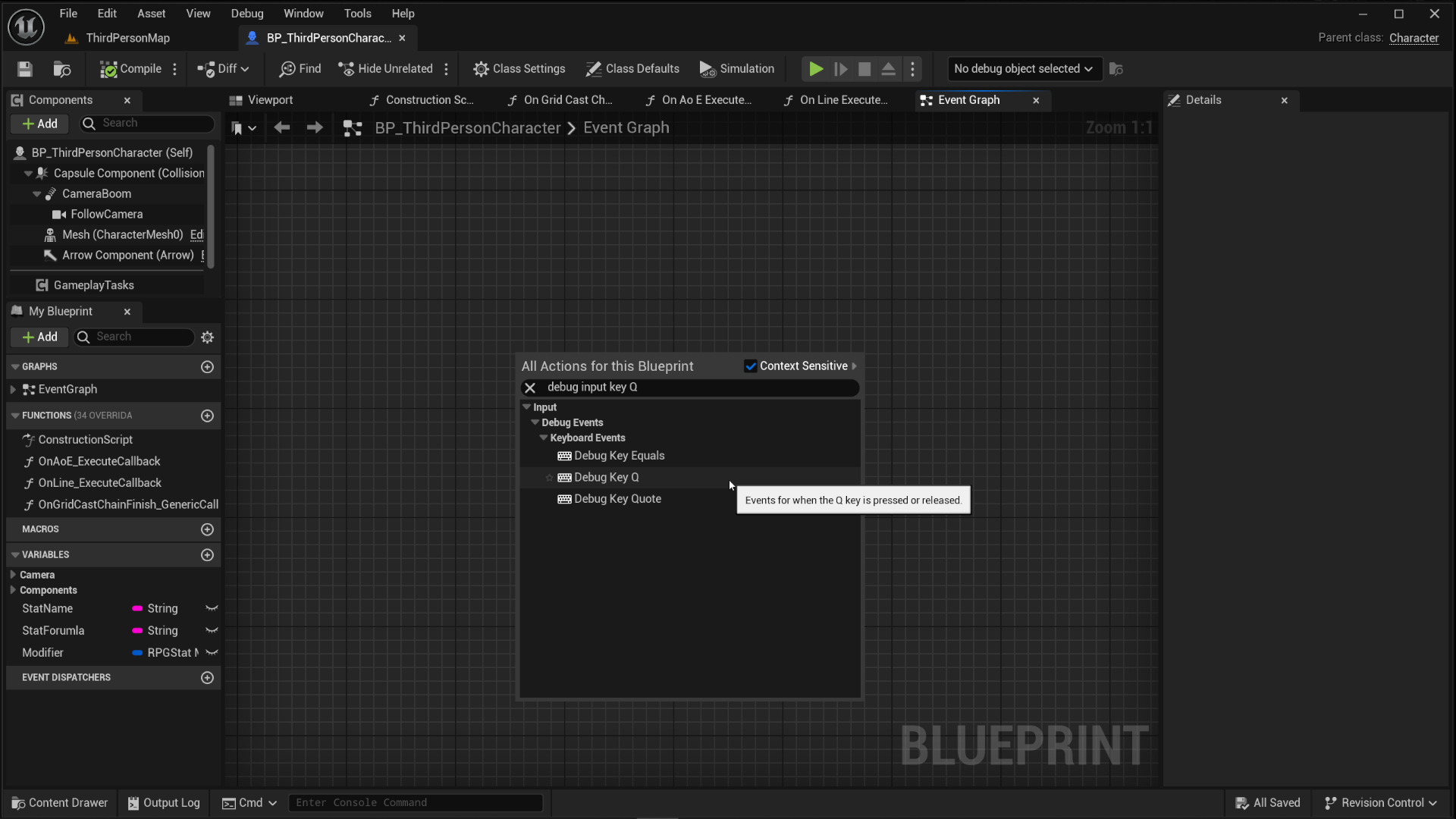
Right-click again in the event graph and look for Debug Input it doesn't matter which one you pick, we can assign the key to it through the details panel. Pick any key you want, this example uses Q for it.
Connect the Debug Input with the Cone Trace.
Connect the Pressed execution pin from the Debug Input to the Cone Trace Single for Objects that was configured in step two.
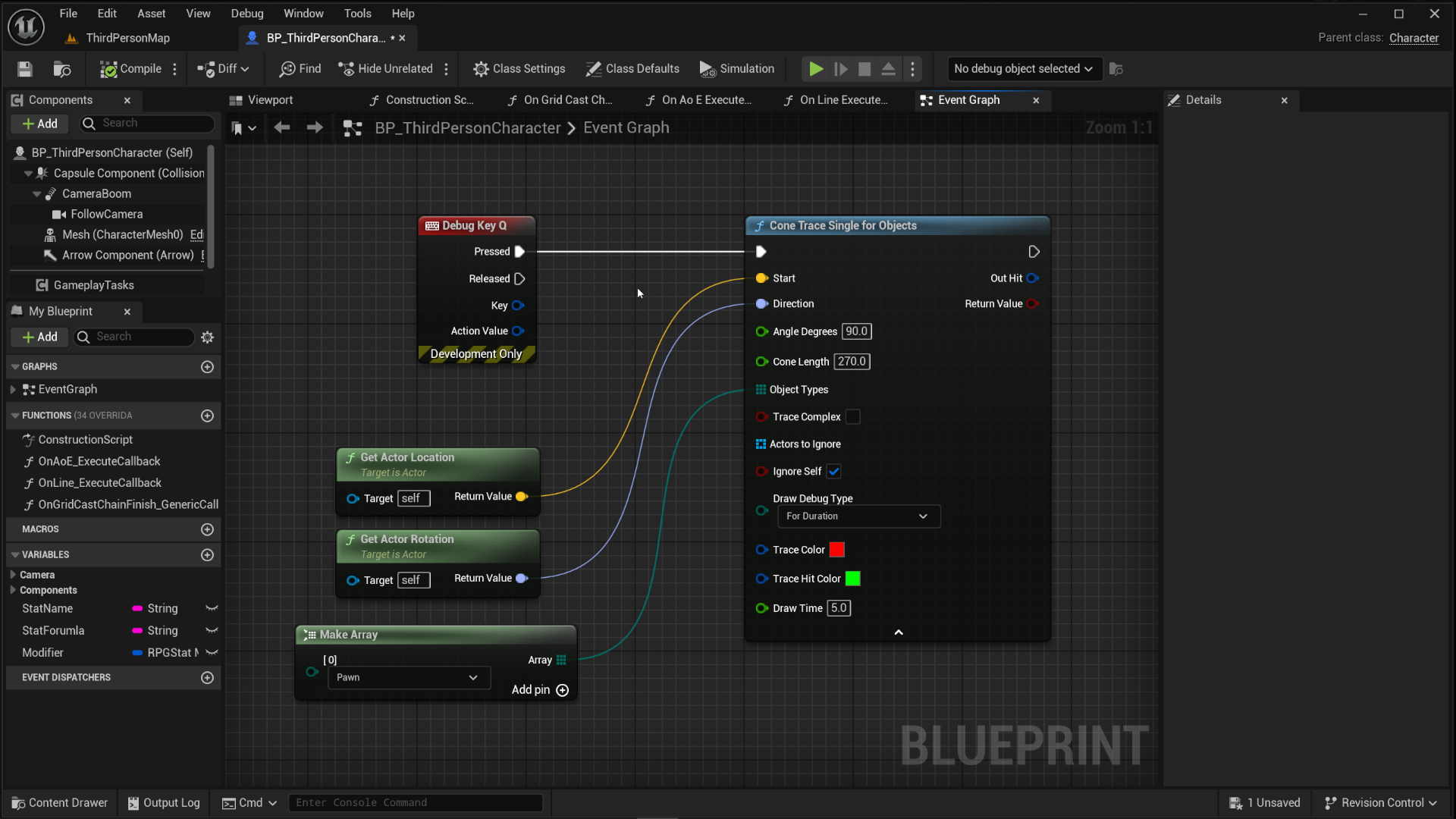
Place a single third person character in your level then play in editor and press Q while facing it to see the Cone Trace work with it's debug shape.
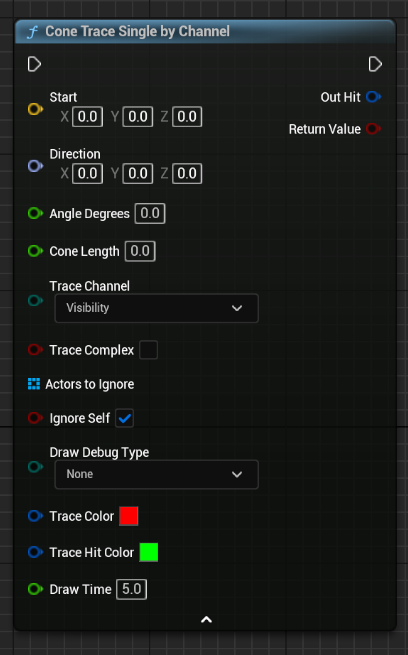
Cone Trace Single by Channel
A cone trace that uses a trace channel for the internal sweep.
Technical Details
| Parameter | Description |
|---|---|
| Start | Starting location of the trace |
| Direction | The direction to aim the cone in |
| Angle Degress | Angle of the cone in degrees |
| Cone Length | Length of the cone |
| Trace Channel | Trace channel to use for the sweep |
| Trace Complex | Should trace against complex collision |
| Actors to Ignore | An array of actors to ignore |
| Ignore Self | Should ignore this actor |
| Draw Debug Type | Debug draw duration type |
| Trace Color | Debug color of the trace |
| Trace Hit Color | Debug color of valid hits |
| Drawtime | Duration for the debug draw on screen |
Cone Trace Single for Objects
A cone trace that uses an array of object types for the internal sweep.
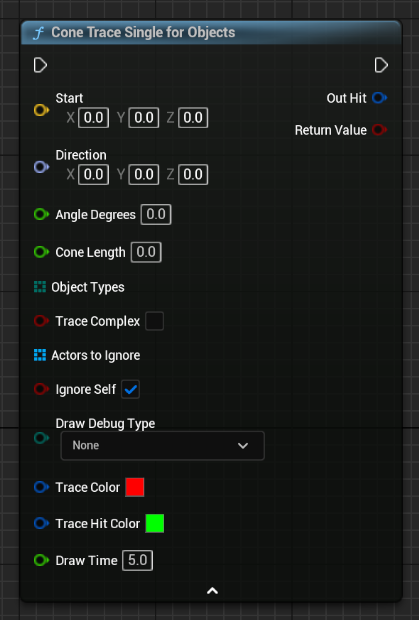
Technical Details
| Parameter | Description |
|---|---|
| Start | Starting location of the trace |
| Direction | The direction to aim the cone in |
| Angle Degress | Angle of the cone in degrees |
| Cone Length | Length of the cone |
| ObjectTypes | Array of object types for the sweep |
| Trace Complex | Should trace against complex collision |
| Actors to Ignore | An array of actors to ignore |
| Ignore Self | Should ignore this actor |
| Draw Debug Type | Debug draw duration type |
| Trace Color | Debug color of the trace |
| Trace Hit Color | Debug color of valid hits |
| Drawtime | Duration for the debug draw on screen |
Cone Trace Single by Profile
A cone trace that uses a collision profile for the internal sweep.
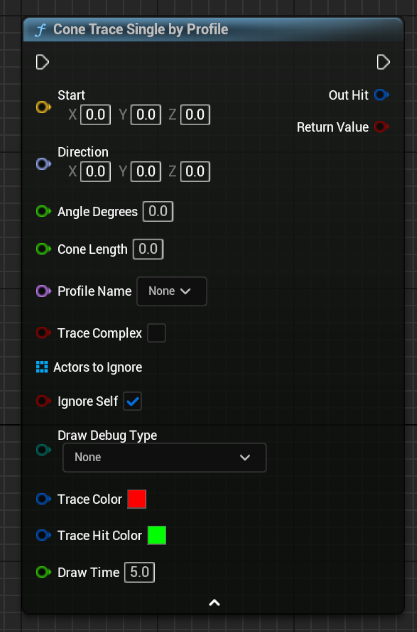
Technical Details
| Parameter | Description |
|---|---|
| Start | Starting location of the trace |
| Direction | The direction to aim the cone in |
| Angle Degress | Angle of the cone in degrees |
| Cone Length | Length of the cone |
| Profile | Collision profile for the sweep |
| Trace Complex | Should trace against complex collision |
| Actors to Ignore | An array of actors to ignore |
| Ignore Self | Should ignore this actor |
| Draw Debug Type | Debug draw duration type |
| Trace Color | Debug color of the trace |
| Trace Hit Color | Debug color of valid hits |
| Drawtime | Duration for the debug draw on screen |
Cone Trace Multi by Channel
A cone trace that uses a trace channel for the internal sweep and return an array of multiple hits.
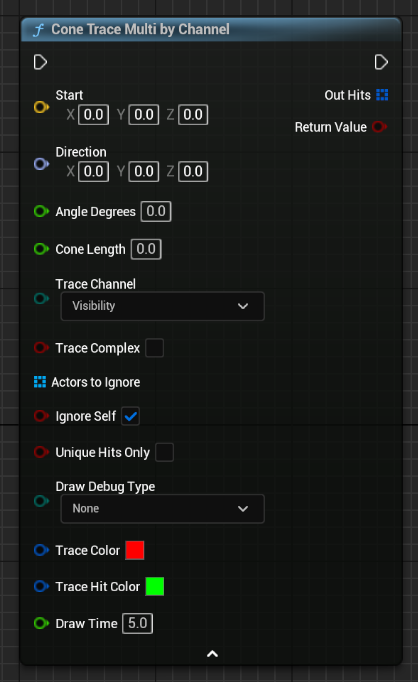
Technical Details
| Parameter | Description |
|---|---|
| Start | Starting location of the trace |
| Direction | The direction to aim the cone in |
| Angle Degress | Angle of the cone in degrees |
| Cone Length | Length of the cone |
| Trace Channel | Trace channel to use for the sweep |
| Trace Complex | Should trace against complex collision |
| Actors to Ignore | An array of actors to ignore |
| Ignore Self | Should ignore this actor |
| Draw Debug Type | Debug draw duration type |
| Trace Color | Debug color of the trace |
| Trace Hit Color | Debug color of valid hits |
| Drawtime | Duration for the debug draw on screen |
Cone Trace Multi for Objects
A cone trace that uses an array of object types and return an array of multiple hits.
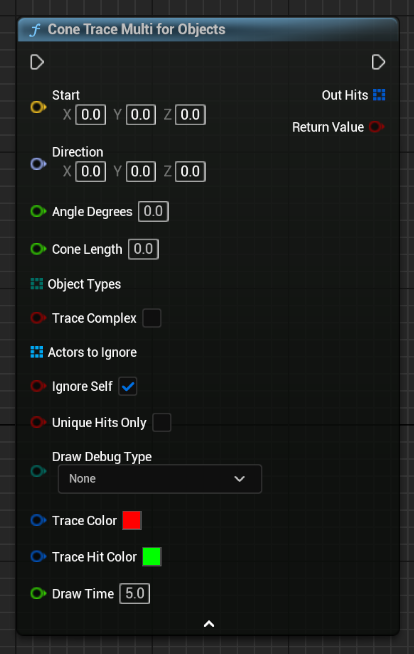
Technical Details
| Parameter | Description |
|---|---|
| Start | Starting location of the trace |
| Direction | The direction to aim the cone in |
| Angle Degress | Angle of the cone in degrees |
| Cone Length | Length of the cone |
| ObjectTypes | Array of object types for the sweep |
| Trace Complex | Should trace against complex collision |
| Actors to Ignore | An array of actors to ignore |
| Ignore Self | Should ignore this actor |
| Draw Debug Type | Debug draw duration type |
| Trace Color | Debug color of the trace |
| Trace Hit Color | Debug color of valid hits |
| Drawtime | Duration for the debug draw on screen |
Cone Trace Multi by Profile
A cone trace that uses a collision profile and return an array of multiple hits.
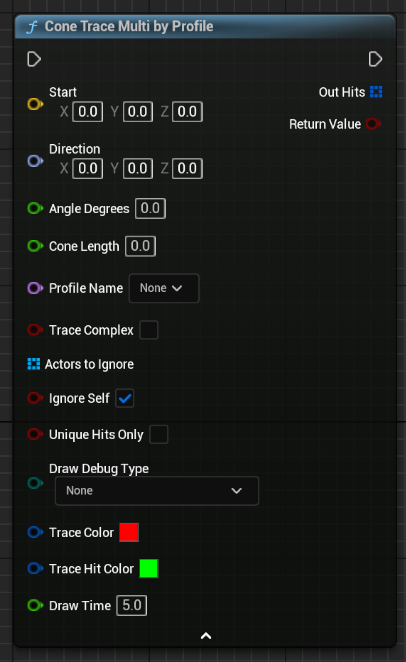
Technical Details
| Parameter | Description |
|---|---|
| Start | Starting location of the trace |
| Direction | The direction to aim the cone in |
| Angle Degress | Angle of the cone in degrees |
| Cone Length | Length of the cone |
| Profile | Collision profile for the sweep |
| Trace Complex | Should trace against complex collision |
| Actors to Ignore | An array of actors to ignore |
| Ignore Self | Should ignore this actor |
| Draw Debug Type | Debug draw duration type |
| Trace Color | Debug color of the trace |
| Trace Hit Color | Debug color of valid hits |
| Drawtime | Duration for the debug draw on screen |